EENSONICCOMPUTECH PVT. LTD.Request a meeting-room demonstration ↗

Ensonic expertise

Video Conferencing & Boardroom AV Solutions

Professional video collaboration for corporate organisations, government offices and institutions—without the complexity and cost of conventional enterprise systems.
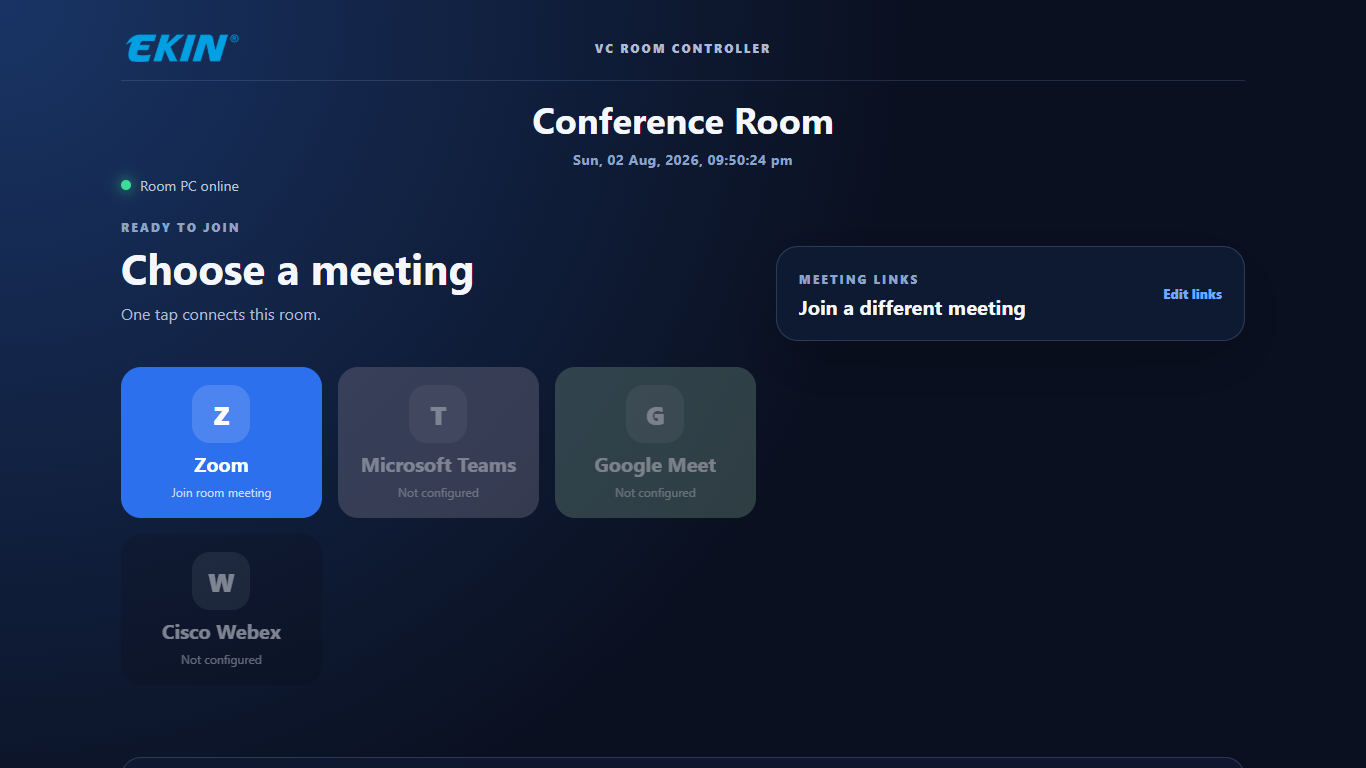
VC Room Controller meeting selection interface
Start the meeting from one simple room interface

Enterprise Collaboration. Simplified.

Centred around the VC Room Controller, the solution provides one simple and consistent interface for the complete meeting-room environment—reducing remote controls, technical dependency and day-to-day friction.

The complete environment

Plan the conferencing room around participants and daily operation

Small and growing organisations often want the experience of a high-end video-conferencing room but do not want a complicated collection of controls. Ensonic brings the camera, audio, displays, content sources and meeting platforms together around a simple VC Room Controller.

A user can start the room, select the source, control the camera and audio, share content and recall meeting presets through one consistent interface. This reduces remote controls, avoids day-to-day dependence on technical staff and makes the room easier to use across different teams.
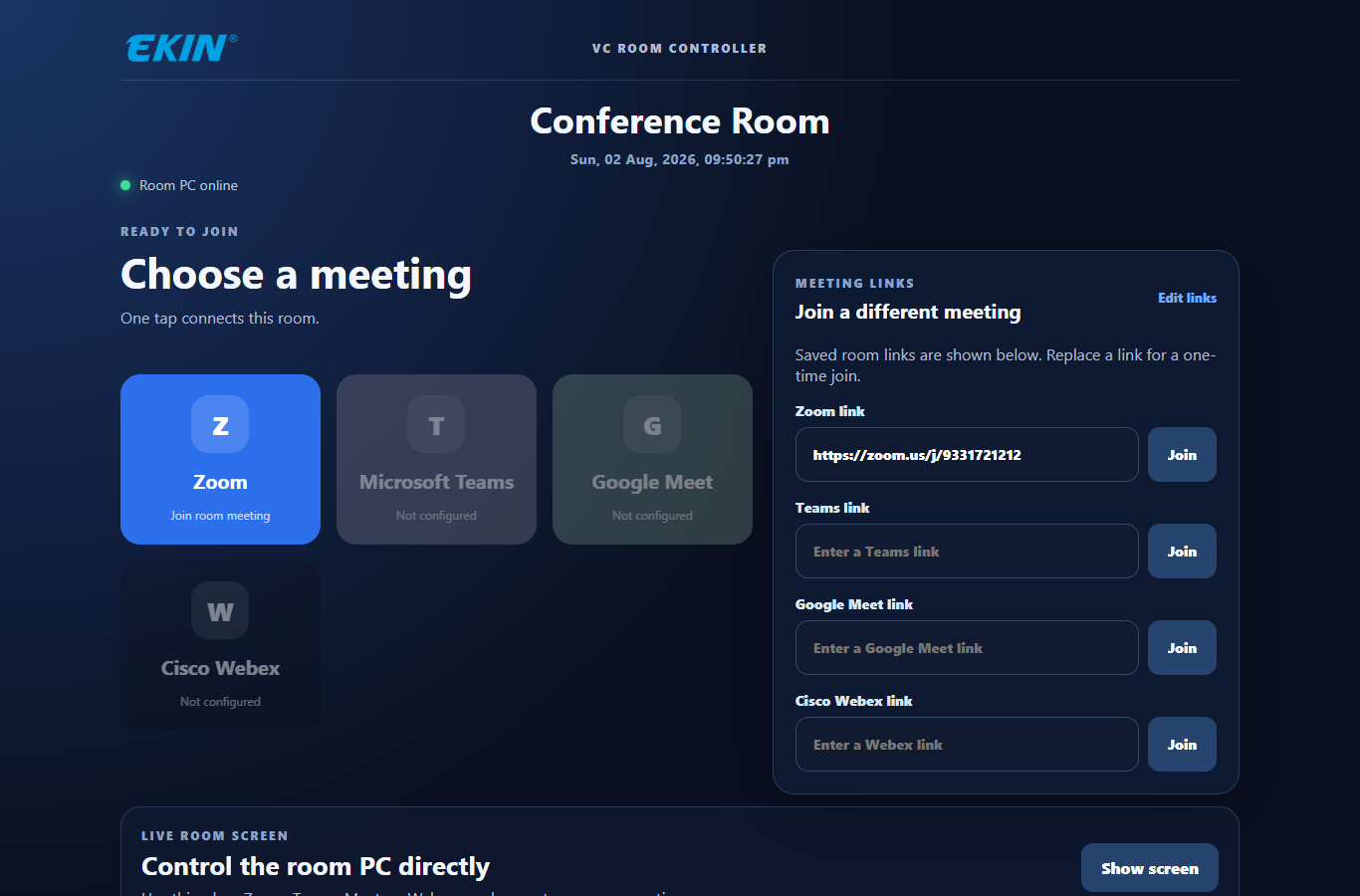
VC Room Controller interface with meeting links and room controls
Meeting links and room control in one place

The room behaves as one system

Camera selection, audio control, display switching, content sharing and connected room devices are coordinated through one control experience. The system is configured around the organisation's actual meeting workflow.

Professional quality without unnecessary complexity

The solution is suitable for boardrooms, management rooms, regional offices, training rooms and government meeting spaces. It combines professional audio and video with flexible room design and commonly used meeting platforms.

Simpler to operate and support

Consistent controls and clear presets shorten meeting-start time and reduce user errors. A modular architecture also makes maintenance, future changes and multi-location standardisation more manageable.

Video demonstrations

Equipment and setup

Solution planning

Use cases, scope and implementation.

The final design depends on the institution, site and project requirements. These points provide a practical starting framework.

Where it fits

  • Boardrooms, management rooms and training spaces
  • Government and institutional meetings across multiple offices
  • Rooms where users need a simpler way to start and control meetings

Potential scope

  • PTZ or room cameras, microphones, speakers and displays
  • Source switching, meeting controls and VC Room Controller setup
  • Room presets, system testing and user orientation

Implementation approach

  1. Review room layout, acoustics, network and meeting workflow
  2. Select and integrate compatible video, audio and control components
  3. Configure room controls and test common meeting scenarios
  4. Train users and document support and maintenance needs

Examples are planning options. Service availability, location coverage, delivery schedule, support and commercial terms are confirmed for each project before a proposal is agreed.

Video Conferencing Rooms That Are Easier to Operate

Designing an effective meeting room involves more than selecting a camera, microphone and display. Ensonic begins by understanding the meeting objectives, room size, number of participants, remote attendees and available equipment.

A practical issue is how easily people can start and manage meetings. Users may need to find invitations, operate a Windows room computer, adjust audio or reposition a camera before a discussion can begin.

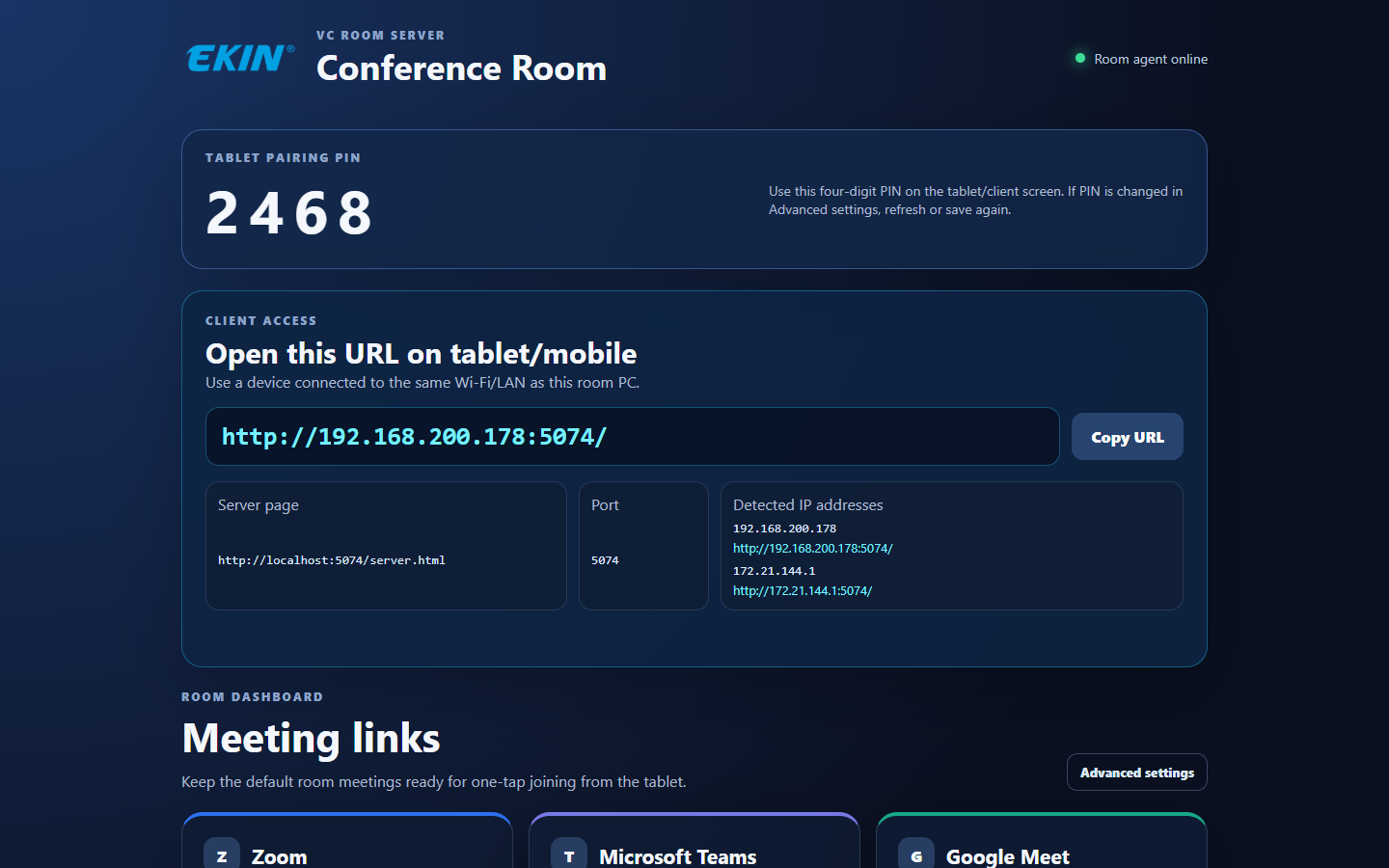
Ensonic VC Room Controller is a Windows-based application that helps bring common room-control tasks into one interface accessible from a compatible Android tablet, phone or browser on the same local network. It supports saved and ad-hoc meeting-launch workflows for Zoom, Microsoft Teams and Google Meet, subject to the individual provider's interface and meeting requirements.

Where supported, users can access call controls, adjust Windows audio, interact with the room PC through a live desktop view and control compatible USB PTZ cameras, including saved positions.

Beyond its room-control software, Ensonic offers a range of camera and speakerphone/microphone options. Selection follows the room requirements and the specifications and availability of the actual proposed models.

The software can be purchased separately for compatible existing third-party room equipment or supplied as part of a complete Ensonic video conferencing installation. Per-meeting-room annual and perpetual licences are available, with the applicable terms confirmed during enquiry.

The objective is to simplify everyday operation while aligning room equipment, software and meeting workflows with actual institutional needs.

Explore Ensonic VC Room Controller Software.

PTZ Cameras, Video Bars and Webcams for Different Meeting Rooms

Ensonic offers three broad categories of video conferencing cameras. Our PTZ camera options include Full HD, 4K and selected 60 fps variants, with AI-enabled human, voice or zone tracking functions available on certain models. Our 4K video-bar range includes options with automatic framing or voice-tracking features for suitable huddle and conference spaces. We also offer Full HD and 4K webcams where a compact computer-connected camera is appropriate.

We recommend camera categories by examining the meeting purpose, participant count, seating layout, room size, available connections and operating preferences. Higher resolution or additional tracking functions do not automatically produce a better result in every room; camera placement, audio coverage, lighting and verified compatibility also matter.

For audio, Ensonic's range includes ceiling microphones, array microphones and conference speakerphones, including options with noise cancellation. Selection should depend on room acoustics, seating layout, participant count, pickup and speaker coverage, and the verified model specifications. Check the actual model documentation for acoustic echo cancellation, beamforming, full-duplex audio and expansion support rather than assuming they are included.

Customers can request a complete camera/audio configuration, or enquire about VC Room Controller separately for a compatible existing room. Controller support for PTZ functions is tested model by model; control of video bars and webcams requires separate compatibility confirmation.

Conference Room Microphones and Speakerphones Selected for the Space

Clear, intelligible conversation is central to a useful video conference. A good camera cannot compensate for participants who are difficult to hear.

At Ensonic Computech, we begin by understanding the room's size, seating layout, number of participants, acoustic conditions and meeting objectives. Our conferencing portfolio includes ceiling microphones, array microphones and speakerphone options, including selected products with noise-cancellation features.

For some rooms, a suitably selected speakerphone may provide a practical combined microphone and loudspeaker arrangement. Other rooms may benefit from dedicated ceiling or array microphones paired with an appropriate speaker system. The right configuration depends on verified pickup coverage, audio playback requirements, acoustics, connectivity and installation constraints.

We can evaluate technical capabilities such as echo control, speech pickup, expansion options and directional audio where supported by the specific products. Features and room coverage vary by model and should be confirmed before quotation.

Our aim is to help institutions choose an audio configuration that supports natural, clear discussions—alongside suitable cameras, displays and easy meeting-room operation.

Audio optionWhen to evaluateKey technical checksCautions
SpeakerphoneHuddle or meeting space where one combined speaker + microphone device may provide sufficient coverageVerified pickup radius, speaker output, USB/Bluetooth connection, echo/noise performance, room capacityCoverage must match the actual room size and acoustic conditions
Ceiling microphonePermanently equipped meeting rooms with suitable ceiling height and installation infrastructurePickup areas, ceiling conditions, wiring, echo handling, compatible audio processingMay require separate loudspeakers and DSP equipment
Microphone arrayRooms seeking defined/directional pickup based on seating and acousticsActual beamforming/directivity, placement, pickup zone, processing hardwareArray is a technology; an array may also be ceiling mounted

Discuss a complete room and audio configuration.

Video demonstrations

See the workflow

Discuss your project

Specify the meeting workflow before selecting AV

A useful boardroom or institutional meeting-room demonstration starts with the participants, seating and normal meeting sequence. Compare camera coverage, speech pickup, shared content and room operation as one configuration.

Request a meeting-room demonstration ↗

The adoption objective

Centred around the VC Room Controller, the solution provides one simple and consistent interface for the complete meeting-room environment—reducing remote controls, technical dependency and day-to-day friction.

Related solutions

04Recording and Knowledge Capture→07Device Management→08Deployment and Lifecycle Support→
View all solutions →

Start a conversation

Tell us the requirement.
We’ll simplify the solution.

Request a meeting-room demonstration ↗info@ensonic.in+91 92519 38024Use the enquiry form